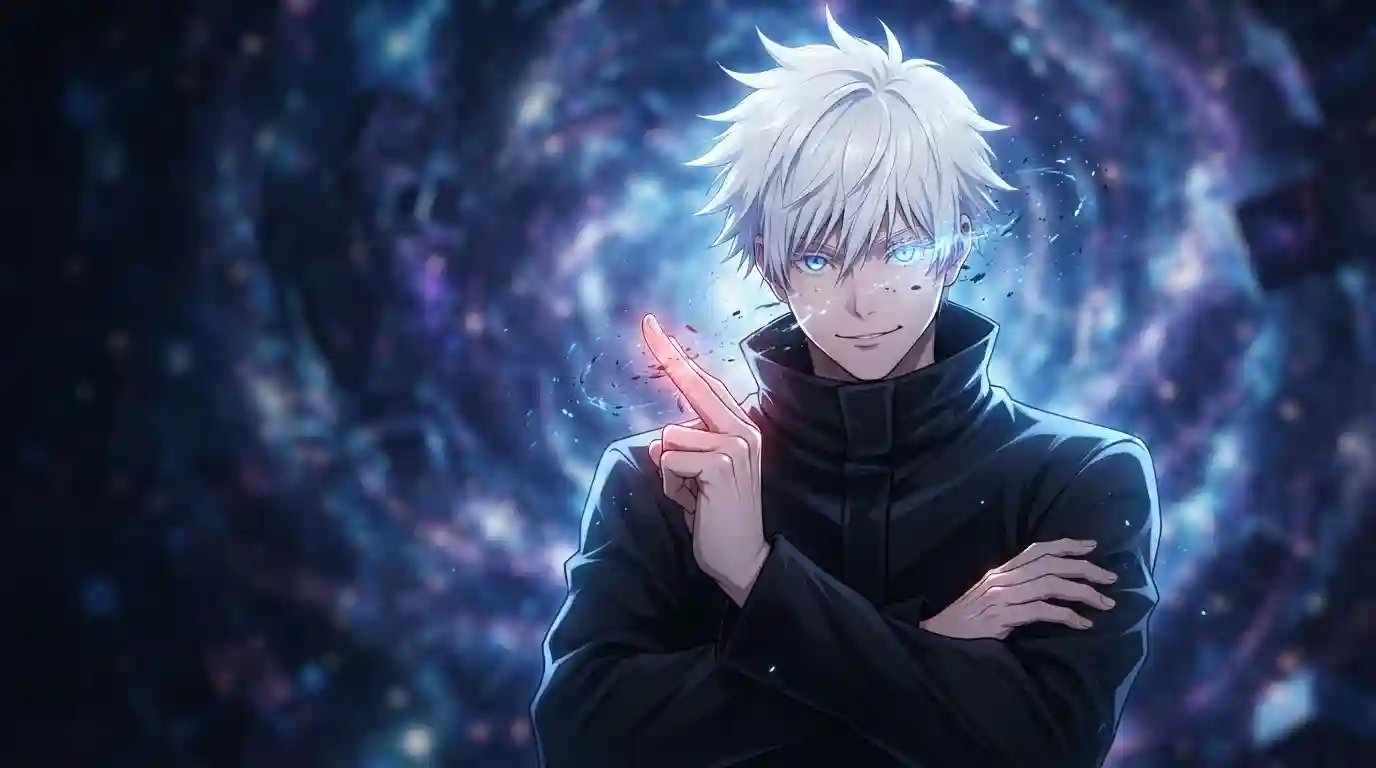
Your profile picture is the first thing people judge on Discord, TikTok, and Instagram. Yet most gojo pfp picks are blurry crops of the same three screenshots, so yours vanishes into a wall of identical avatars. This guide fixes that. You get every style worth using right now, a comparison table that matches each look to your personality, exact image sizes, and the one legal line you should never cross.
What Is a Gojo PFP, and Why Is Everyone Using One?
A gojo pfp is simply a profile picture that features Satoru Gojo, the strongest sorcerer in Jujutsu Kaisen. Gege Akutami created the character for the manga, which Shueisha published in Weekly Shōnen Jump, and MAPPA animated him for television. His official key visuals live on the Jujutsu Kaisen anime website.
Fans run his face as their avatar almost everywhere:
- Discord servers and gaming profiles
- TikTok and Instagram accounts
- WhatsApp, X, and Reddit profiles
The character works because he reads instantly. White hair, a black blindfold, and a cocky grin stay recognizable even at 40 pixels wide, and almost no other anime character can claim that.
Why Does Satoru Gojo Work So Well as a Profile Picture?
Strong avatars share two traits: instant recognition and clean contrast. Gojo delivers both better than nearly anyone in modern anime.
His design pops at tiny sizes. Snow-white hair against a black blindfold creates a contrast that survives every circle crop. Remove the blindfold and his Six Eyes glow bright blue, which looks electric against dark mode backgrounds.
His powers hand editors gold to work with, too. Hollow Purple, Limitless, and the Unlimited Void domain produce colors you cannot fake with a filter. Any satoru gojo pfp built from those scenes carries cinematic weight that casual screenshots never match.
Which Style Fits Your Vibe? Compare Every Look Here
Different styles signal different things. A manga panel says you read the source. A GIF says you pay for Nitro. A meme crop says you are here to have fun.
Here is the full breakdown:
| Style | Look and Feel | Best For | Quick Tip |
|---|---|---|---|
| 4K anime still | Razor-sharp color | Discord, gaming profiles | Export as PNG |
| Manga panel | Black and white ink | Minimalist feeds | Use high-resolution pages |
| Teen Gojo | Playful, nostalgic | Matching avatars | Pull from the Hidden Inventory arc |
| Cute and chibi | Soft, friendly | Instagram, TikTok | Center the face in the crop |
| Funny and meme | Instant reactions | Group servers | Test it at 100 pixels first |
| Aesthetic edit | Moody, cinematic | Curated Instagram bios | Keep the grain subtle |
| Tuff edit | Dark streetwear energy | TikTok profiles | Push the contrast hard |
| Animated GIF | Moves inside chat | Discord Nitro users | Pick a clean, short loop |
| Christmas | Seasonal spirit | December and Gojo’s Dec 7 birthday | Add snow, keep the face clear |
| Black and white | Clean and serious | Minimalist X feeds | Boost contrast before upload |
Pick the one row that matches how you want people to read you. Then optimize that single image for the platform you use most, instead of juggling five versions.
Where Can You Find the Best Gojo PFP for Discord?
Start with official art. The anime’s key visuals and trailers give you clean, high-resolution frames that repost pages ruin with watermarks and compression.
Then go to the source material. Official manga volumes render the ink lines far better than phone photos of printed pages, and they double as the best crop library for manga-style avatars.
Fan art comes last, and it comes with rules. When you grab art from DeviantArt, Pixiv, or X, save the artist’s handle and drop credit in your bio. Artists notice, and communities remove uncredited reposts faster than you can say domain expansion.
Discord-specific settings matter as much as the image itself. A clean Discord PFP needs three things:
- A square upload, ideally 1024 by 1024 pixels
- A face checked against the circle crop, because Discord cuts the corners
- A quick preview against dark mode, since most servers live there
What Makes a 4K Satoru Gojo Picture Look Better?
A proper 4K gojo pfp starts at 3840 by 2160 pixels. You will never display it at full size, and that is exactly the point. When an app shrinks a 4K frame down to 200 pixels, every edge stays crisp instead of turning to mush.
Grab your sources with care:
- Official trailers and Blu-ray frames
- Key visuals posted on the anime’s website
- Your own screenshots from official streams at the highest quality tier
Skip compressed reposts. Every re-upload strips detail, and a fifth-generation JPEG of Gojo’s eyes turns into a smudge inside a small circle. One clean download beats ten folder-fillers every single time.
Manga Gojo PFP or Anime Still: Which One Wins?
Manga panels win on personality. Gege Akutami’s inking delivers heavy blacks and unhinged expressions the anime sometimes smooths out. The “Throughout Heaven and Earth, I alone am the honored one” page and the “Nah I’d win” panel sit among the most-used images in anime culture right now.
Read the pages at their best through VIZ Media’s official Jujutsu Kaisen volumes, the series’ English publisher. Clean scans make the difference between a sharp avatar and a muddy one.
Anime stills win on polish. MAPPA’s color grading, lighting, and Hollow Purple effects give your avatar depth that black-and-white ink cannot reach. If your feed runs colorful, go anime. If your feed runs clean and quiet, go manga.
Teen Gojo Ideas for a Softer, Nostalgic Look
The Hidden Inventory arc at the start of Season 2 rewinds to 2006 and shows a younger, looser Gojo. He wears round sunglasses instead of the blindfold, jokes nonstop, and travels with Suguru Geto before everything falls apart.
Fans call this version teen gojo, and it fits softer, nostalgic feeds perfectly:
- Round-sunglasses close-ups for a retro feel
- Gojo and Geto matching avatars for you and your best friend
- Carefree student-era smirks that feel lighter than his teacher years
This era of the character smiles more, which makes it the easiest pick for profiles that want warmth instead of menace.
Cute Gojo PFP Picks That Win the Tiny Circle
Cute works when it survives the crop. The best cute picks show Gojo mid-laugh, flashing a peace sign, or drawn in chibi style with oversized sunglasses and tiny limbs.
Follow three rules to keep the softness visible:
- Zoom in until the face fills about 60 percent of the square
- Pick brighter backgrounds so his white hair does not melt into the edge
- Skip panels with heavy shadows, because they read as moody instead of cute
Official promotional art and chibi illustrations make this easy. Their clean lines and simple colors stay readable even at Discord’s smallest avatar size.
Funny Satoru Gojo Ideas That Get Instant Replies
Comedy avatars start conversations on sight. The “Nah I’d win” panel became a global meme for a reason: one glance and everyone already knows the joke.
Strong comedy options include:
- The “Nah I’d win” panel with that unbearable smug grin
- The “honored one” pose used ironically on a casual account
- Tiny chibi Gojo throwing a tantrum over sweets
One warning: skip images with long text. Caption writing turns into unreadable noise below 100 pixels, and the joke dies with it. Faces and short punchlines only.
Aesthetic, Tuff, and Black and White Styles Worth Saving
The aesthetic edit takes a little work. Take a night-city frame, drop the saturation slightly, add gentle grain, and let the neon do the talking. An aesthetic gojo pfp built this way makes your whole profile feel curated instead of random.
Tuff edits go darker. The trend favors high-contrast shots, heavy shadows, streetwear overlays, and frames where Gojo stares straight through the camera. TikTok profiles run this style constantly because it holds up behind bold usernames.
Black and white demands the strongest source image you can find. Manga pages already live in black and white, so start there, push the contrast, and clean out speech bubbles. The result sits quietly in any timeline and still pulls the eye.
How Do You Use a Gojo PFP GIF on Discord?
Animated avatars require Discord Nitro. Without a subscription, Discord locks your avatar to static images, so upload your best still frame instead and keep the animation for later.
With Nitro, run this checklist:
- Pick a loop whose first frame works as a still, because apps that cut GIFs will show that frame
- Keep the face centered through the entire loop
- Choose a short, clean motion, since wild camera movement blurs at avatar size
The best GIF sources are the Unlimited Void activation, the blindfold removal in slow motion, and any Hollow Purple charge-up. All three loop cleanly and keep the face in frame.
Seasonal Swaps: Christmas and Birthday Ideas
December belongs to Gojo. His birthday lands on December 7, and fans celebrate by switching their avatars for the entire month, which makes Christmas edits a yearly tradition rather than a one-off.
Christmas versions are easy to build or find:
- A simple Santa hat sitting over the blindfold
- Snow falling across a night-city frame
- Gojo tangled in fairy lights, ideally fan art you can credit
Swap back in January. A Christmas avatar in March reads as an abandoned account, and nothing kills a strong profile faster than looking forgotten.
How Do You Keep Your Avatar Sharp on Every App?
Every platform crops and compresses differently. One high-quality square covers all of them when you upload it the right way.
| Platform | Recommended Upload | Display Shape |
|---|---|---|
| Discord | 1024 × 1024 px | Circle |
| 320 × 320 px or larger | Circle at 150 px | |
| TikTok | 200 × 200 px or larger | Circle |
| X (Twitter) | 400 × 400 px | Circle |
Apply these rules once, then forget about them:
- Save the file as PNG to dodge JPEG artifacts
- Center the face before uploading, because you cannot fix it afterward
- Keep the original at full resolution as your master copy
Is It Okay to Use Official Anime Art as Your Avatar?
Short answer: personal, non-commercial avatars are standard fan practice, and every major platform allows them. Long answer: the line sits at money and credit.
- Never sell merchandise that uses official Gojo art
- Never present someone’s fan art as your own edit
- Credit fan artists in your bio, and ask first when their profile requests it
This is general community practice, not legal advice. Stick to the official sources named in this guide and you stay on the same safe ground millions of fans already occupy.
Gojo PFP FAQs: Quick Answers
1. What is the best gojo pfp for Discord?
The best gojo pfp for Discord is a high-contrast, head-and-shoulders shot. Use the blindfold look or a Six Eyes close-up, saved as a 1024 by 1024 PNG so the circle crop keeps the detail.
2. Where do I get 4K quality without watermarks?
Pull frames from official trailers, Blu-ray releases, and the anime’s official website. Repost pages compress files with every re-upload, so treat them as a last resort.
3. Can I use a gojo pfp gif without Nitro?
No. Discord requires Nitro for animated avatars. Upload a clean still frame instead and save the GIF loop for when you subscribe.
4. Which episodes show teen Gojo?
Watch Season 2, Episodes 1 through 5, the Hidden Inventory arc. Those five episodes hold nearly every young Gojo frame worth using.
5. How do I make a cute Gojo avatar readable in a small circle?
Zoom the crop until his face fills most of the square, brighten the background, and preview it at 64 pixels. If the grin survives that size, you nailed it.
6. Are fan art avatars allowed?
Yes, for personal use, as long as you credit the artist and never sell the work. Check the artist’s profile first, because some ask for permission before any repost.
Ready to Lock In Your Gojo PFP?
You now hold every style, size, and rule in one place. Pick the look that matches your vibe, grab the highest-quality source you can find, and upload it tonight, because the perfect avatar does nothing sitting in your camera roll.
Then keep the momentum going. Drop your favorite style in the comments, send this guide to the friend still running a default avatar, and mark December 7 on your calendar for the annual switch. Your profile deserves better than another blurry crop.